


Auto Clicker - Automatic tap
4.517.84K Reviews
App Specs
- Version
- 2.3.0
- Updated On
- License
- Free
- Downloads
- 100,000,000+
- Developer
- True Developers Studio
- Categories
- Tools
- Platform
- Android, iOS
Screenshots
 Analysis by AppCompare
I reach for an auto-tap tool when a task asks me to repeat the same screen action over and over, not when I want my phone to make decisions for me. Auto Clicker - Automatic tap is a practical Android utility for that narrow but familiar problem: it can take over repeated taps while I focus on something else. The idea is simple, but getting a useful result depends on choosing a sensible interval, placing taps carefully, and knowing when automation is a poor fit.
A simple routine works best
My preferred starting point is a small, controlled test. I open the app I want to use, set up a tap at the intended screen position, and begin with a modest pace and a limited run. That gives me a chance to catch a misplaced target or an unexpected screen change before the automation keeps going. Once the sequence behaves as intended, I can adjust it for the real task.
This cautious approach matters because a tapper only repeats an action; it does not understand what is on screen. A button that moves, a confirmation prompt, or a loading delay can make yesterday’s setup wrong today. I treat the first run like a test rather than leaving it unattended from the start. For anything consequential, I stay nearby and watch what happens.
Settings to check before starting
The useful controls are the tap interval and the option to stop after a chosen number of clicks. I would not automatically choose the shortest interval. Some apps need time to respond, and tapping faster than they can process input may waste actions or create a result I did not want. I begin slower, observe the response, and only make the taps quicker if the screen keeps up reliably.
A tap limit is especially helpful when the task has a natural endpoint. If I need a repeated action a set number of times, a cap is safer than relying on memory to stop the session. For an open-ended task, I prefer to remain present and end the run myself. In either case, I check that the tap target is still where I expect it to be before letting the sequence continue.
The app is a free tool from True Developers Studio, with in-app purchases listed at $1.99 per item. It is rated for Everyone and has an average rating of 4.6 from around 805,000 ratings, with more than 100 million installs. Those figures suggest that this kind of straightforward automation has broad appeal, though they do not guarantee that every game or app will accept automated input.
Repeatable habits beat complicated setups
Experienced users can get more reliable results by making each session repeatable: use the same screen state, verify the target, run a short trial, and then use a limit that matches the task. That routine is more valuable than trying to automate a long chain of actions in an app that changes its layout or asks for unpredictable input. The tool is strongest when the job is repetitive and the screen stays stable.
Worth Reading Before You Choose

Baby Panda World Brings Quick Play to Modern Phones, but Its Game Library Feels Busy

ESPN’s Live Game View Makes Following Close Games Easier

QuizzLand Review: A Good Fit for Short Trivia Breaks, Not Every Player

Basketball Stars: Multiplayer Is Fast, but Can It Recover When Matches Go Wrong?

WEBTOON Turns Phone Updates Into a Better Reading Routine

Link to Windows Runs on Shared Habits, Not Social Feeds
For example, imagine a routine in a game that requires repeated taps on a stationary control while I keep an eye on progress. I can set the tapping pace to suit the game, cap the run, and check the screen before starting another round. This can spare my thumb from a tedious stretch, but I would not use it to bypass a game’s rules or assume it will work with every title. Some apps block automation, and their terms may restrict it.
Where it fits among alternatives
Compared with tapping manually, the main benefit is consistency and less finger strain during repetitive work. Compared with an app-specific automation feature, a general tapper may be more flexible across simple tasks, but it is also less aware of what the app is doing. It cannot decide that a button has changed, interpret a message, or choose the next step for me. If a task depends on those decisions, a built-in feature or a more suitable accessibility or workflow tool is the better choice.
I would also skip automatic tapping when accuracy matters more than repetition, when the target moves, or when a mistaken click could submit, purchase, delete, or otherwise change something important. A human should handle those actions. Automation is best reserved for low-risk, predictable work where the same input is genuinely needed again and again.
The app first appeared on February 20, 2019, and its current version is 2.3.0. It requires Android 7.0 or later, so it is not an option for someone looking to use this particular app on an iPhone. That Android requirement is worth checking before planning a workflow around it.
For someone new to auto-tapping, setup is approachable: install the app, follow its tutorial, and try a short sequence before depending on it. I would grant only the access the app needs to perform its job, and I would pay attention to what the tutorial asks me to enable. If a tap does not land correctly, I would stop, check the target and screen state, and test again rather than simply increasing the speed.
What Does Auto Clicker - Automatic Tap Do?
So, what exactly is Auto Clicker - Automatic tap? Essentially, it’s an app designed to automate your screen taps. Imagine having a virtual assistant that taps away for you while you kick back and relax. Whether you’re deep into mobile gaming or just want to automate some repetitive tasks, this app has got you covered.
Features that Make Life Easier
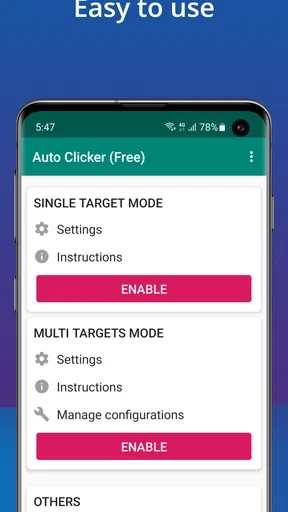
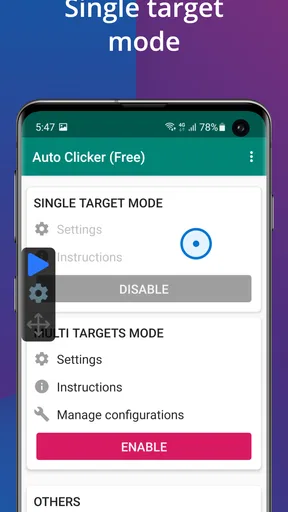
First off, let’s talk about the interface. It’s sleek, intuitive, and doesn’t bog you down with unnecessary clutter. You can set up your auto taps with just a few taps of your own. It’s as easy as pie, and trust me, I’m no tech wizard.
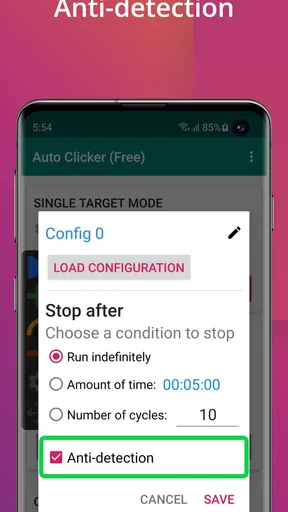
The app allows you to customize the intervals between taps, and you can even set it to stop after a certain number of clicks. This is especially handy for those epic gaming sessions where every second counts. No more tired fingers or missed opportunities!
- Customizable tap intervals
- Set a limit on the number of taps
- User-friendly interface
Perfect for Gamers and Beyond
If you’re into mobile gaming, you know how crucial those rapid taps can be. Auto Clicker - Automatic tap lets you optimize your gameplay without the physical strain. I tried it out with a couple of popular games, and it really helped me level up without breaking a sweat.
Beyond gaming, the app is also a lifesaver for automating repetitive tasks. Whether it’s for work or leisure, having a tool that takes care of the mundane stuff is invaluable. I found it particularly useful for apps that require constant interaction to earn points or rewards. It’s like having a secret weapon in your pocket.
Setting It Up
Getting started with Auto Clicker - Automatic tap couldn’t be easier. Once you download it, you’ll find it’s pretty straightforward to set up. There’s a tutorial that guides you through the basics, and you’ll be up and running in no time.
The app ensures you have complete control over where and how often it clicks, which I found reassuring. It’s like being the conductor of your own little orchestra of taps. Plus, if you ever run into issues, the support team is responsive and helpful.
- Download and install the app
- Follow the setup tutorial
- Customize your tap settings
A Few Considerations
While Auto Clicker - Automatic tap is a fantastic tool, it’s worth noting that not all apps might play nicely with it. Some games or applications have built-in protections against automated clicking. It’s always a good idea to check the terms of service for your specific apps to avoid any potential issues.
Additionally, remember that excessive use of automated taps might lead to quicker battery drain. But hey, that’s a small price to pay for the convenience it offers, right?
Final Thoughts
Overall, Auto Clicker - Automatic tap is a brilliant app for anyone looking to simplify their mobile experience. Whether you're a hardcore gamer or someone just looking to automate daily tasks, this app is sure to become your new best friend. Give it a try, and you might find yourself wondering how you ever managed without it.
Ready to give your fingers a break? Download Auto Clicker - Automatic tap today and let the app do the tapping for you. Trust me, once you start using it, there's no going back!
Pros
- Easy to set up and use interface.
- Highly customizable settings.
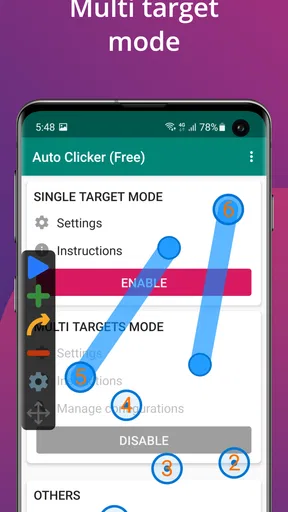
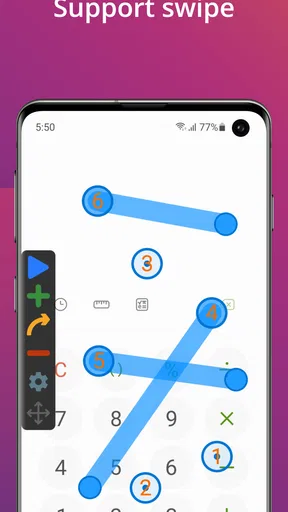
- Supports multiple click points.
- Works without root access.
- Compatible with most apps.
Cons
- Limited support for certain apps.
- Drains battery with prolonged use.
- May trigger app restrictions.
- Ads in the free version.
- Occasional lag on older devices.
FAQs for Auto Clicker - Automatic tap
How does Auto Clicker work on my device?
Auto Clicker is designed to automate repetitive tapping on your Android or iOS device. Once installed, you can set specific tap intervals and locations on your screen. The app does not require root access and works seamlessly with most applications, making it ideal for gaming or task automation.
Is Auto Clicker safe to use?
Yes, Auto Clicker is safe to use. It does not require any rooting of your device, which means it won’t void your warranty or expose your device to potential security risks. Ensure you download it from a trusted source to avoid any malware issues.
Will Auto Clicker affect my device's performance?
Auto Clicker is designed to be lightweight and efficient, minimizing its impact on your device's performance. However, as with any app, running multiple applications simultaneously can affect battery life and processing speed. It’s recommended to monitor your device's performance when using it for extended periods.
Can Auto Clicker be used for gaming?
Yes, Auto Clicker is popular among gamers who need automated tapping in games that require repetitive actions. It can help you progress faster in games by automating mundane tasks. However, be sure to check the game's terms of service, as some may prohibit the use of automation tools.
Is Auto Clicker free, or does it have in-app purchases?
Auto Clicker is generally available as a free app with basic features. It may offer in-app purchases to unlock advanced functionalities or remove ads. It's advisable to explore the free version first to determine if the additional features are necessary for your needs.


